gift-registry-guru.webframez.com

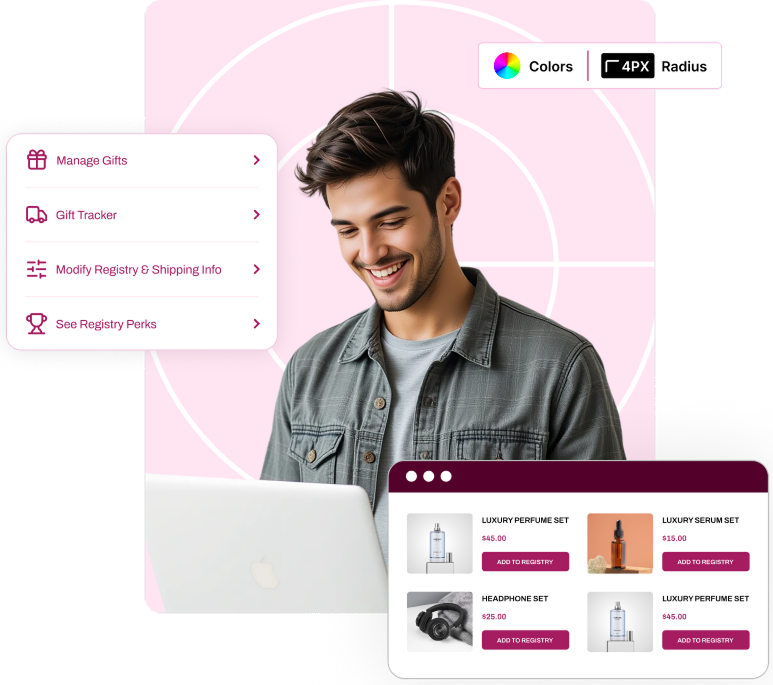
Making Gifting
effortless with Gift Registry Guru

Pair text with an image to focus on your chosen product, collection, or blog post. Add details on availability, style, or even provide a review.

Works for any occasion

Create registries for weddings, birthdays, baby showers, and more all in one place.

No duplicate gifts

Real-time updates ensure each gift is reserved once, eliminating overlaps.

Easy Sharing

Share your registry instantly via link, email, or social platforms.

Create multi registry list

Manage multiple registries simultaneously for different events or needs.

Explore Gift Registry As A Gifter

View One of Our Demo Registries, so that you can see how the registry will look on sharing.

Explore Gift Registry As A Gifter

This requires you to login/ create an account. For ease of use we have setup the demo store with a demo login.

How It Work

Get started with gift registries in four simple steps. No technical expertise needed.

01

Install the
App

Quick 5-minute setup from the Shopify App Store. No technical knowledge required.

02

Customize Your
Style

Match your boutique's branding with colors, fonts, and layout customizations.

03

Customers Create
Registries

Your customers easily create and share beautiful registries for their special occasions.

04

Watch Sales
Grow

Track performance and enjoy increased customer loyalty and higher average order values.

Frequently asked
questions

Still Have Question in mind

Just click “Create a Registry,” choose your occasion, and start adding products you love. It only takes a few minutes.

A: Creating a registry is simple! Just click “Create a Registry” from the Gift Registry menu, sign in to your account (or create one), fill in your registry details such as the event type, name, and date, and start adding products. You can add items to your registry from any product or collection page by clicking the “Add to Registry” button.

A: Yes! Once your registry is created, you can share it with friends and family via a direct link, email, WhatsApp, Facebook, Instagram, Twitter, Telegram, LinkedIn, or FB Messenger — all in just one click from your registry page.

A: Absolutely. Gift Registry Guru automatically marks items as purchased once an order is placed. This means gifters can always see which items are still available, so you never end up with duplicate gifts.

A: No account is needed! Friends and family can view your registry and purchase gifts as a guest — they simply click the link you share with them, browse your registry, and checkout as normal.

A: Yes! You can add any product to your registry directly from the product page or collection page by clicking the “Add to Registry” button or icon.

A: Yes, you can create multiple registries for different events — for example, a Wedding Registry and a Baby Shower Registry — all managed from your “Manage Registries” page

Yes. You can add, remove, or update items on your registry at any time by visiting your “Manage Registries” page and selecting the registry you want to edit.

Gifters can either use the direct link you share with them, or visit the “Find a Registry” page on the store and search by your name or event details.

Take a Look at
Our Other Awesome Apps

More tools to grow your Shopify Store. Trusted by
thousands of merchants worldwide.

Wishlist guru

(91)

1,000+ installs

Save and share wishlists in any language with fast setup, full support, and advanced store integration

Free Plan Available

quote-app-new-app-icon

Quotes Guru: RFQ & Hide Prices

(56)

500+ installs

Let customers request quotes with a customizable form and hide prices or Add to Cart buttons with ……

Free Plan Available

CoWish ‑ Collection Wishlist

(01)

25+ installs

Smart reminders via email and SMS that recover up to 20% more abandoned carts.

Free for all partner development stores

preorder_logo

Preorder Guru

(07)

50+ installs

Save and share wishlists in any language with fast setup, full support, and advanced store integration

Free Plan Available