
What Is Gift Registry Guru? #
Gift Registry Guru is a Shopify app that lets your customers create and share personalized gift registries directly from your store. Whether they’re preparing for a wedding, baby shower, birthday, or any other occasion, shoppers can build a wish list from your product catalog and share it with friends and family — driving more targeted traffic and sales to your store.
Once installed, you manage all registries from a simple admin panel inside Shopify. No coding required.
Note: Gift Registry Guru works with most standard Shopify themes. If you run into any theme compatibility issues, contact the support team at support@webframez.com.
Step-by-Step Setup Instructions: #
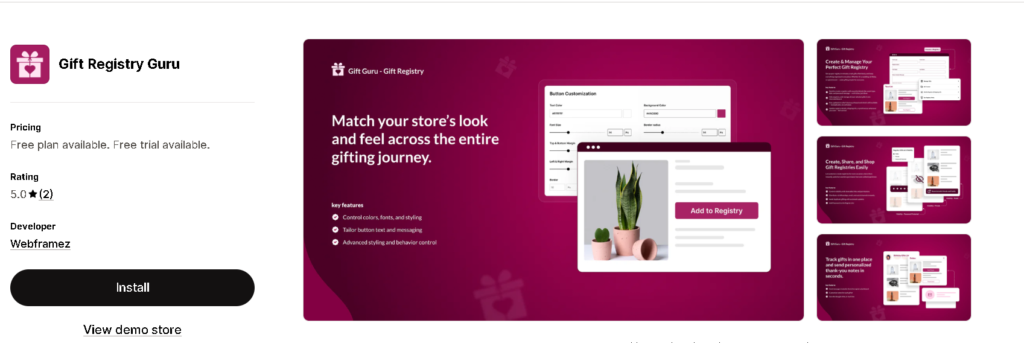
Step 01: Open the Shopify App Store and search for Gift Registry Guru. Click on the app listing to open the detail page, then click Add app to begin.
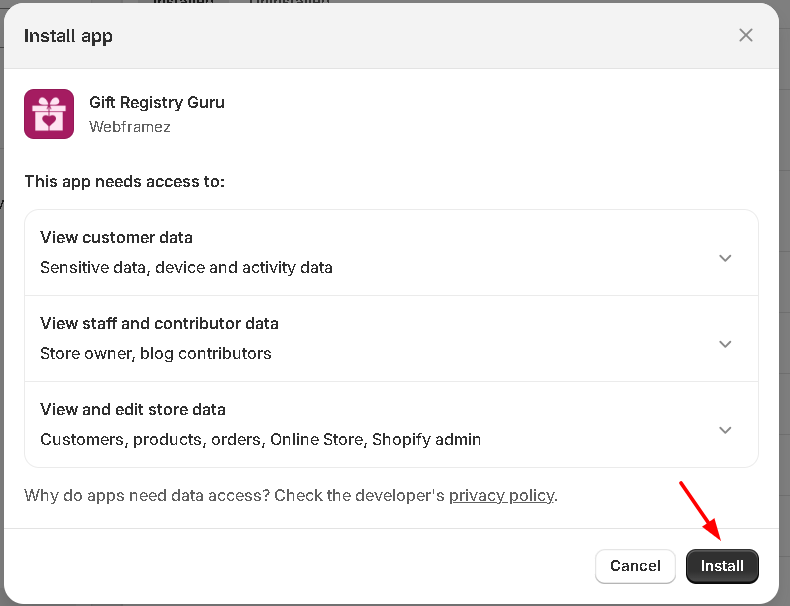
Step 02: You’ll be taken to the app install page inside your Shopify admin. Click the Install button to initiate the process.
Step 03: On the same screen, you can review the permissions Gift Registry Guru requests before confirming the install.
Step 04: After installation, you’ll be automatically redirected to the Gift Registry Guru admin panel inside Shopify. Click Get Started to move through the setup wizard.
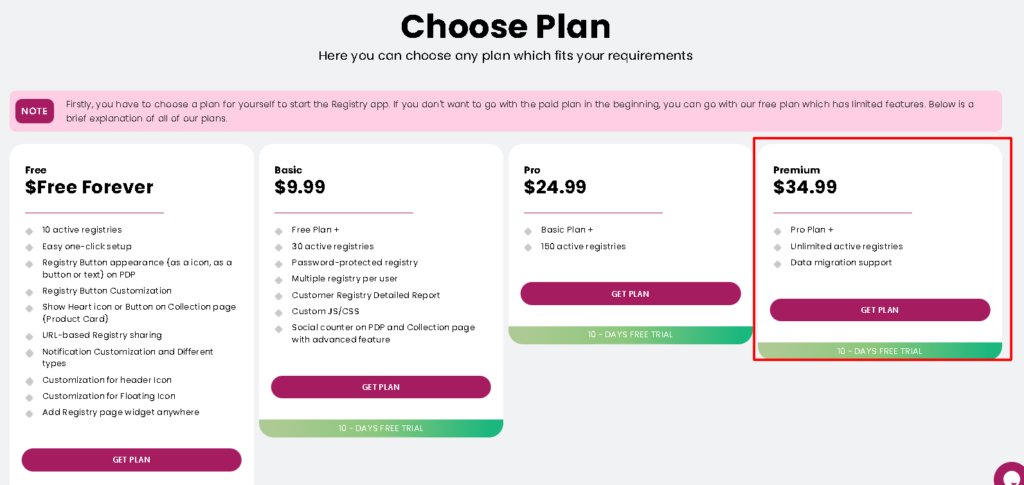
Step 05: Select the plan that fits your store’s needs. A free trial is available so you can explore all features before committing.
Step 06: If you select a paid plan, Shopify will redirect you to its billing page. Enter your payment details and approve the charge to proceed. This step is handled securely by Shopify — Gift Registry Guru never stores your payment information.
Step 07: Choose the active theme where you’d like Gift Registry Guru to appear. After selecting your theme, click the Enable button.
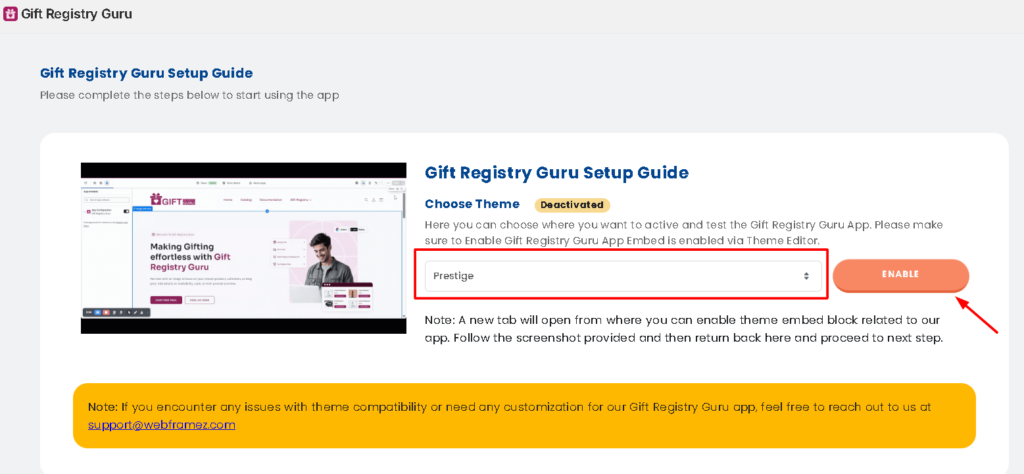
Important: If you want to test the app, you can activate it on your draft or backup theme—so that the registry features do not appear to your customers immediately.
Step 08: This is a required step. You need to enable the Gift Registry Guru app embed through Shopify’s theme editor.

Step 09: Return to the Gift Registry Guru setup page. You should now see a successful theme activation confirmation message on screen. Click Next to continue.
If you don’t see the success message, double-check that you saved the app embed in Step 8 and that you selected the correct theme.
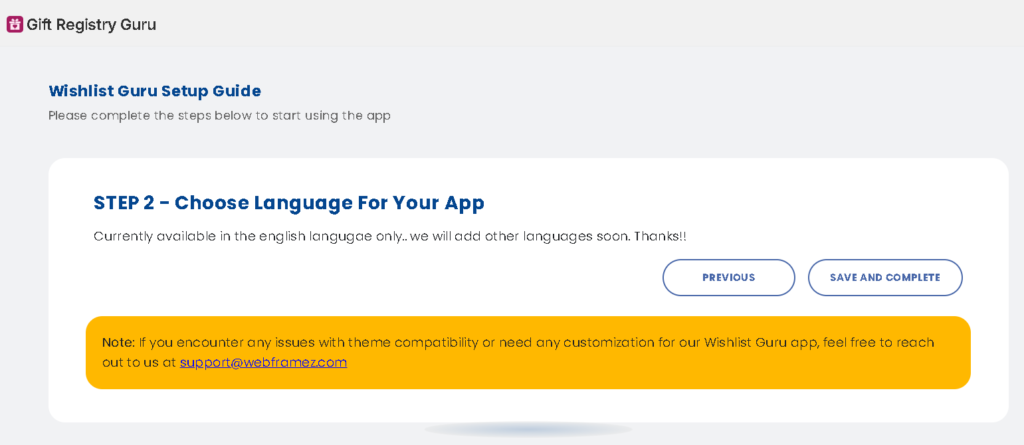
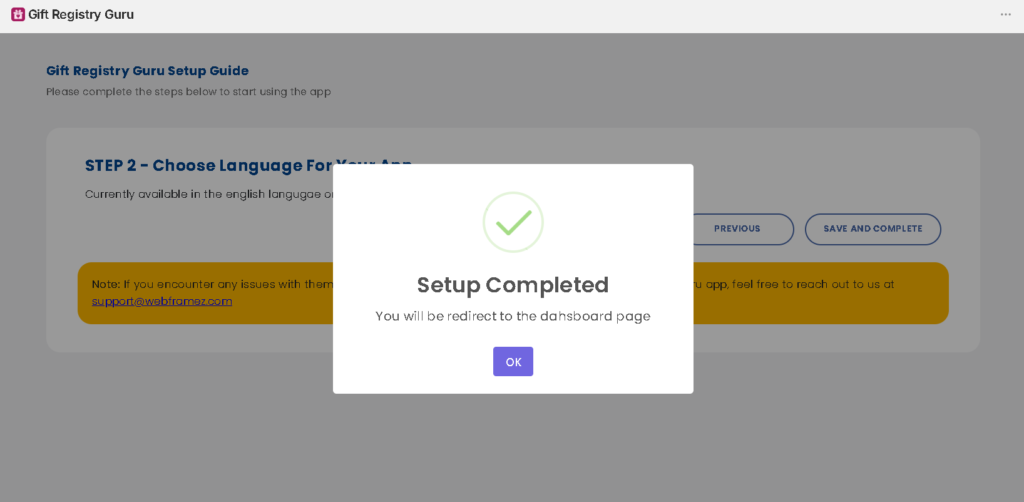
Step 10: Choose your preferred language for both the admin panel (what you see as a merchant) and the storefront (what your customers see). Once selected, click Save and Complete. Ready to go!
Frequently Asked Questions #
#
Gift Registry Guru offers a free trial so you can test all features before committing to a paid plan. Paid plans unlock additional features and higher registry limits.
#
The app works with most standard Shopify themes, including Dawn, Horizon, and other popular free and paid themes. If you’re using a heavily customized theme, contact support to confirm compatibility.
#
Yes. Once a customer creates a registry, they receive a unique shareable link they can send via email, WhatsApp, or any messaging platform.
#
Yes, the app is compatible with all Shopify subscription levels, including Basic, Shopify, and Advanced.
#
Yes. You can adjust the styling and labels of registry elements through the app’s admin panel to match your store’s branding.
#
Registry purchases appear in your regular Shopify order flow. The app also updates the registry in real time when an item is bought, so the registrant and their guests always see current availability.


